Case Strategy Report
A Case Strategy Report built only from work your attorney approved
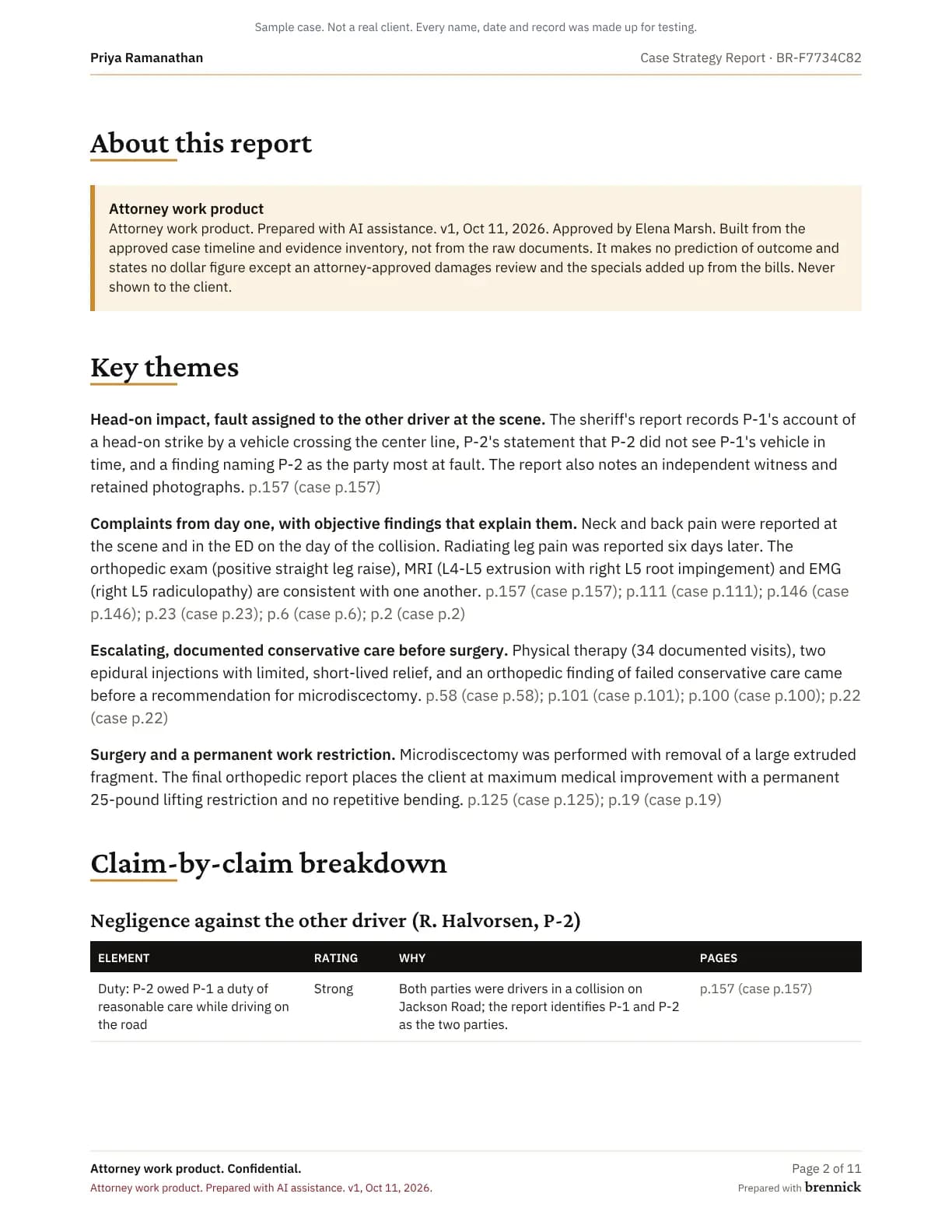
The Case Strategy Report turns the approved timeline and the evidence inventory into themes, claims, strengths, weaknesses and defenses, each cited to its page. It is built when you ask for it, and a licensed attorney approves it.
- 01AI draftcited to pages
- 02Attorney reviewedit, approve or reject
- This page03Approvedexport, demand, report
- 04Clientnever sees AI output
Who this is for
Attorneys and partners preparing a case for mediation, negotiation or trial, in personal injury and employment. The California employment claim deadlines guide covers the dates an employment report has to respect, and the report is on every plan (pricing).
What it is built from
It never reads the raw documents. It works from what your attorney has already reviewed, so every point traces back to an approved entry and its page.
- The approved case timeline, with events your staff added and events an attorney approved from later documents.
- The evidence inventory: every document in hand with its type and source, records requested and not yet received, and the missing records the approved analysis found.
- The case facts.
- Dollar figures only from an approved damages review.
What it contains
Paste the other side’s requests when you build the report, and it adds a chart of each request and your evidence for it, marked have, partial or missing.
Key themes
The few points the case turns on, each explained and cited.
Claim-by-claim breakdown
Each element of each claim rated Strong, Moderate or Weak, with the reason and the pages.
Strengths, weaknesses and mitigation
What helps, what hurts and how to answer it, each point with its pages. A weakness can be something the record lacks.
Anticipated defenses
Each defense with a rebuttal and the evidence to obtain.
Damages schedule
Only from an approved damages review. Without one, the section says “Damages review needed”.
Exhibits and mediation
The top exhibits by page and what each shows, and points to prepare for mediation.
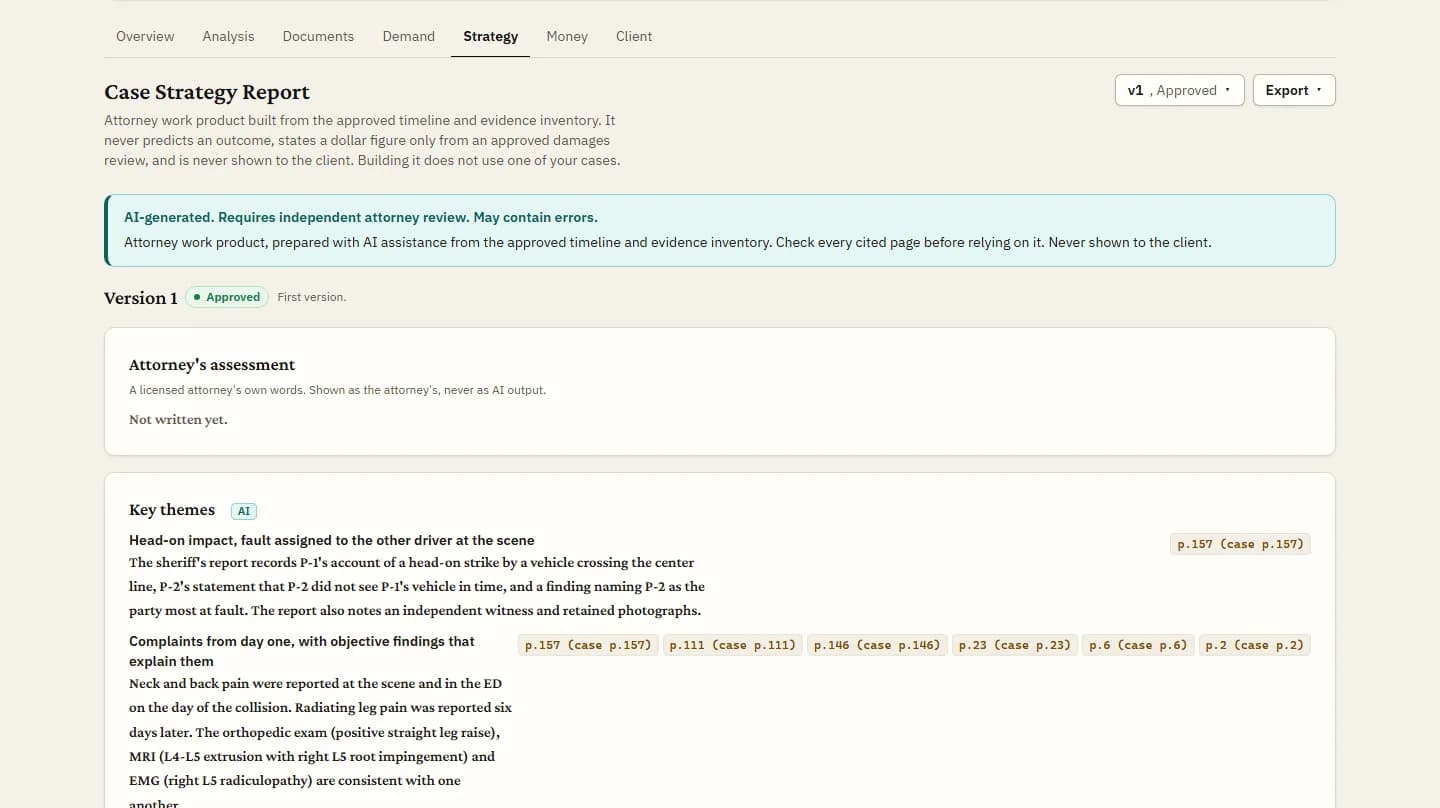
A claim-by-claim breakdown, from the sample
Negligence against the other driver, as the sample Case Strategy Report breaks it down. The case is a sample; the words are the report’s own.
| Element | Rating | Why | Pages |
|---|---|---|---|
| Duty of care owed by the other driver | Strong | Both were drivers on a public road (Jackson Road) in a collision, so a general duty to drive with reasonable care is not in doubt on this record. | p.157 |
| Breach of that duty | Strong | Report says P-2’s vehicle crossed the center line, P-2 said he did not see P-1 in time, and P-2 was identified as most at fault. | p.157 |
| Causation: the collision caused the claimed injuries | Moderate | Same-day complaints of neck and back pain and a consistent chain to MRI and EMG findings help. Radiating leg pain first appeared six days later and no provider opinion on causation appears in the reviewed records. | p.111, p.157, p.146, p.6, p.2 |
| Damages: injury and treatment | Moderate | Objective MRI and EMG findings and a course of PT and two injections are documented. Injection relief was partial and short. Bills and records after January 2025 are not in the reviewed timeline. | p.6, p.2, p.58, p.101, p.100 |
| Damages: economic loss (bills, wage loss) and future care | Weak | No billing totals, wage records or future-care opinion appear in the reviewed items, and no damages review has been approved. Only the billing of CT head and lumbar X-ray is noted. | p.111 |
Checked in code before it is saved
Every draft goes through a check that runs in code, after the model and before anything is stored.
- The whole draft is refused if it forecasts a result (odds, a chance of success, a verdict or a settlement figure), states a dollar figure that is not in your approved damages review, or cites a statute, regulation or case that is not in the stored rules your damages basis rests on.
- Citations are repaired, and every repair is counted: a page that is not in the case is removed, a statement left with no page is dropped, and an element rated Strong or Moderate with no page becomes Weak and says so.
- A refused draft is not saved, the refusal is logged, and nothing is charged to your cases.
Versions, refresh and the attorney’s assessment
Each build is a new version. The model’s original text is kept beside any edits, and an approved or rejected version never changes.
When documents arrive after a version, the report says how many and offers Refresh. A refresh sends only what is new, returns only the changes, and says what changed.
A licensed attorney can write the attorney’s assessment in their own words, in a field of its own, printed with the report.
Approval and export
Any staff member can build or refresh a report. A licensed attorney approves or rejects it. Only an approved version can be exported, as PDF or Word with your firm’s name on the cover, stamped “Attorney work product. Prepared with AI assistance.” with the version and the approval date.
Building, refreshing and exporting a report never use one of your cases.
Plans
Included on every plan: Solo, Brief, Docket and Enterprise. Sending an approved version to Clio starts at Brief; records requests in the inventory come with Docket.
See pricingFAQs
Does building a report use one of our cases?
No. Building, refreshing and exporting reports never count.
What if there is no approved damages review yet?
The damages schedule says “Damages review needed”, and the report carries no dollar figures.
Can we build it before the analysis is approved?
No. The report reads only approved work, so it waits until a licensed attorney approves the analysis.
Can we send it to Clio?
On Brief and above, a licensed attorney can send an approved version to Clio, into a folder named Brennick on the linked case. The confirm step reminds them not to share it through Clio’s client portal.
Build a strategy report on a case you know
3-day trial, 1 case, card required. Approve the analysis, build the report, and read every citation.